Why it exists
Help visitors understand parking solutions through their own space and needs, without requiring technical knowledge.
2026 / Project case study
A Parking World You Can Build Around You
A 3D parking configurator in active development: explore a home, residence, or retail property, watch solutions respond, and turn your choices into a project brief.
In development · Home, residence, and retail journeys, parking plans, and brief export are available in the public preview.
Help visitors understand parking solutions through their own space and needs, without requiring technical knowledge.
Designed the journey and architectural scenes, integrated an optimized concept-car asset, engineered the planning and rendering systems, and deployed the product on Vercel.
Home, residence, and retail journeys, parking plans, and brief export are available in the public preview.
See the next milestoneMacroPark Experience is a work in progress with a public preview on Vercel. I am designing and engineering it to make connected parking tangible before a site visit. Visitors enter one of three architectural environments, preview arrivals, access, reservations, charging, and solar, then explicitly add the solutions they want. The current build combines custom architectural geometry with an optimized, attributed concept-car asset, locally served PBR surfaces, reflections, animated hardware, and orbit inspection. A validated per-place plan drives the interface and exportable brief, while adaptive graphics, reduced motion, and a WebGL fallback keep the consultation usable.
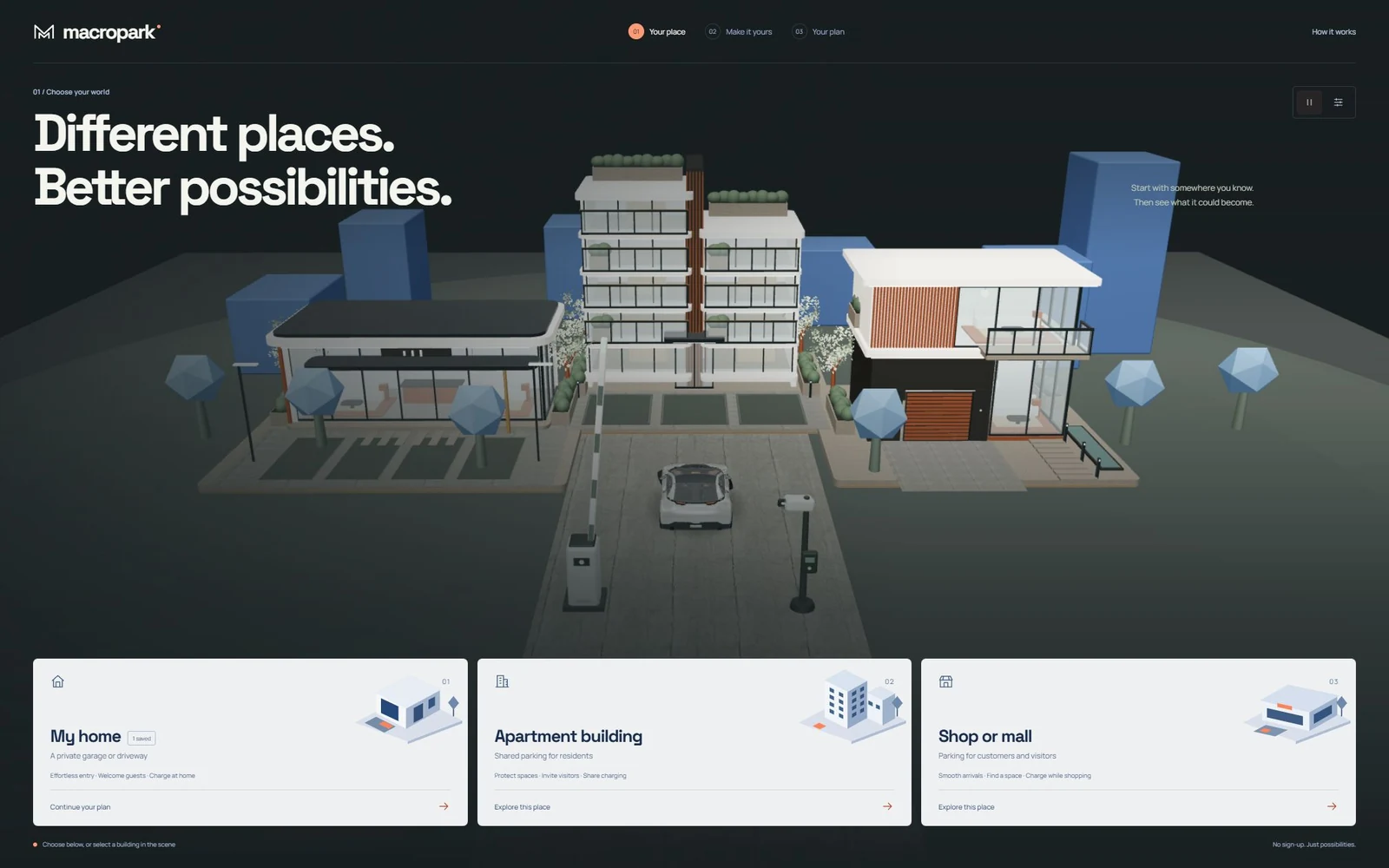
Interactive sales experience for MacroParkA cantilevered villa, terraced residence, and retail pavilion use custom geometry, recessed glazing, furnishings, timber screens, and landscaping.
Orbit and zoom around the property and detailed concept car. Return to the guided workbench without competing camera controllers.
Home, apartment building, and shop or mall each provide a relevant environment and keep an independent plan.
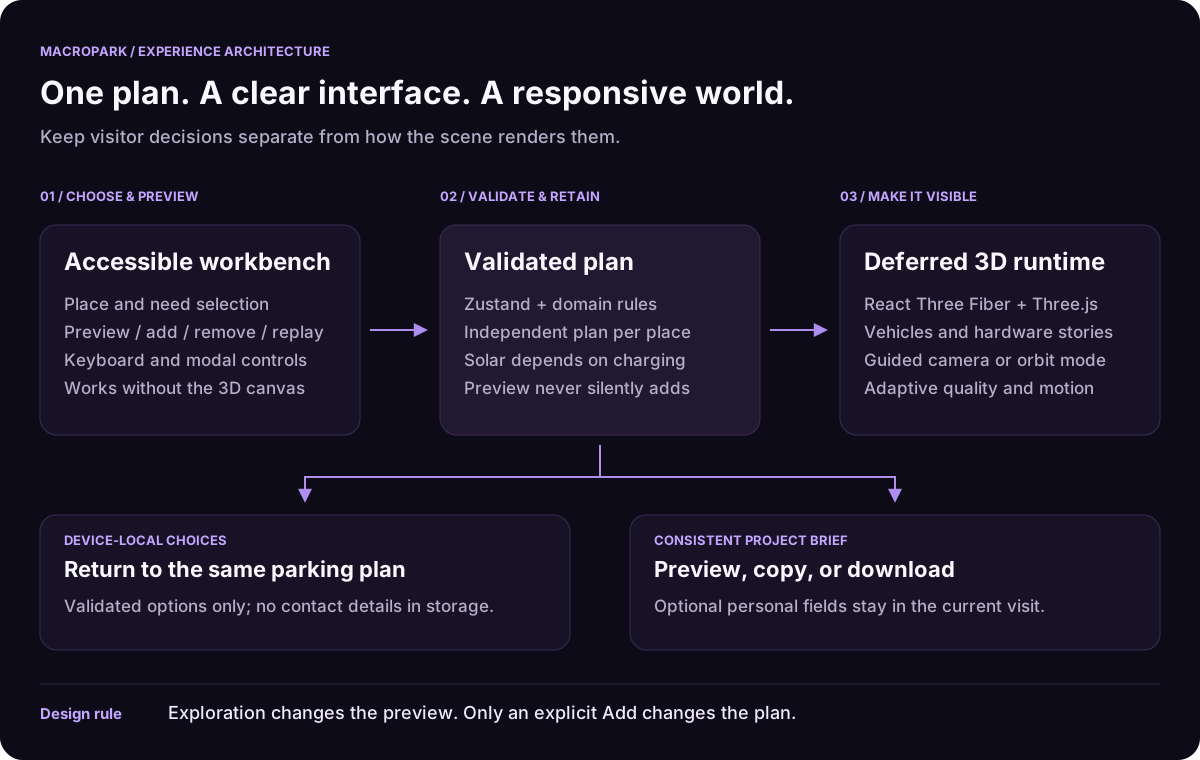
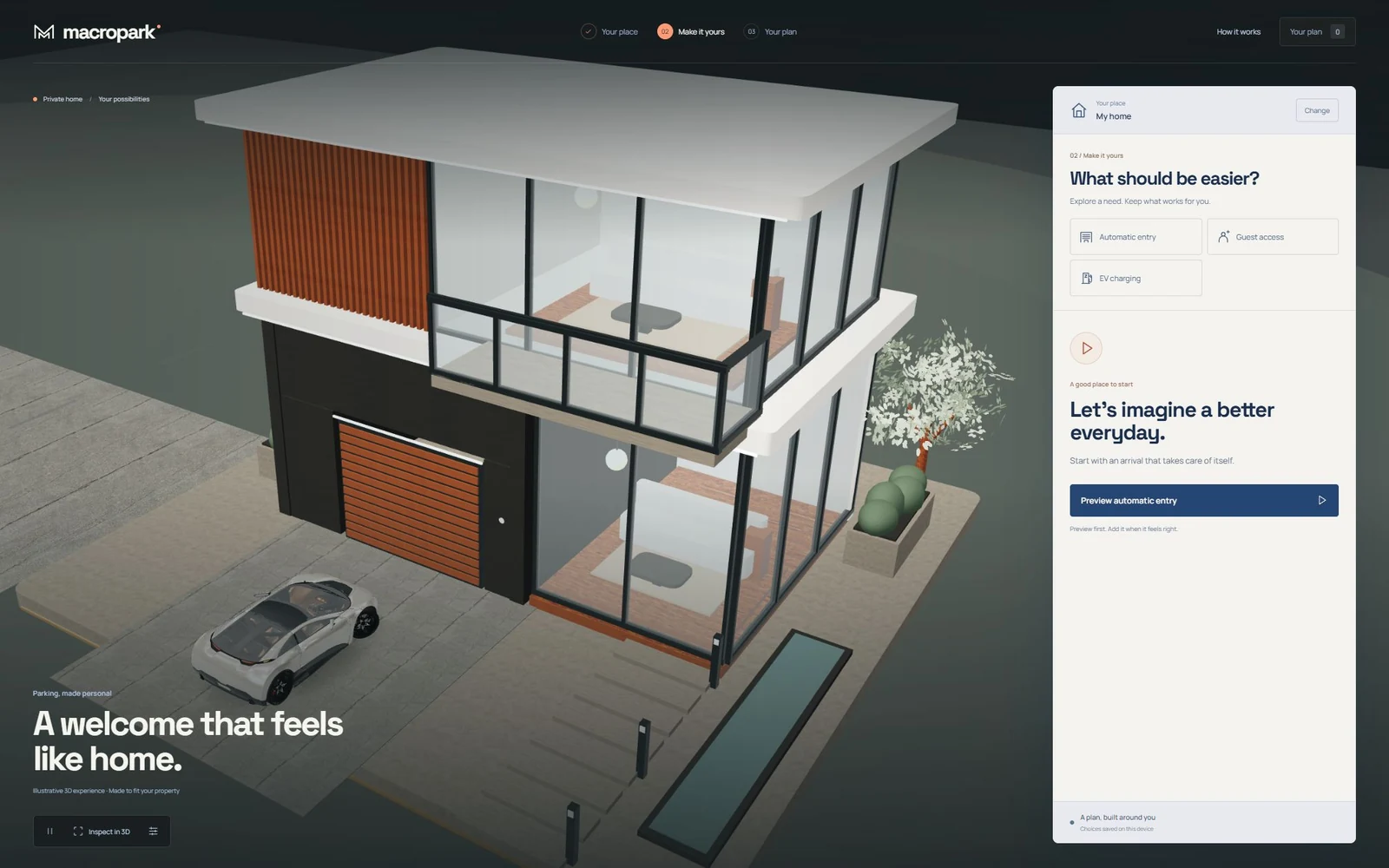
A solution can physically demonstrate itself without silently changing the client plan.
Vehicles approach recognition points, barriers respond, and accepted or expired visits have visible outcomes.
Parked vehicles connect to chargers while optional solar canopies and energy pulses make the relationship visible.
Visitors can compare needs, add or remove solutions, and return after a refresh. Only parking choices are saved on the device; personal brief details stay in memory.
One domain model drives preview, copy, download, and an optional prepared email without claiming a backend submission.
Quality controls, hidden-page pause, reduced motion, settled animations, and selective mounting control GPU cost.
Place selection, solution choices, and the project brief still work when WebGL is unavailable.
A visitor decision drives both the client interface and a visible 3D consequence, while one normalized configuration stays responsible for the final brief.
The interface owns choices and accessible controls; the domain owns valid configurations; Zustand owns the current visit; and a dynamically loaded rendering boundary owns WebGL, frame scheduling, camera motion, and physical stories.
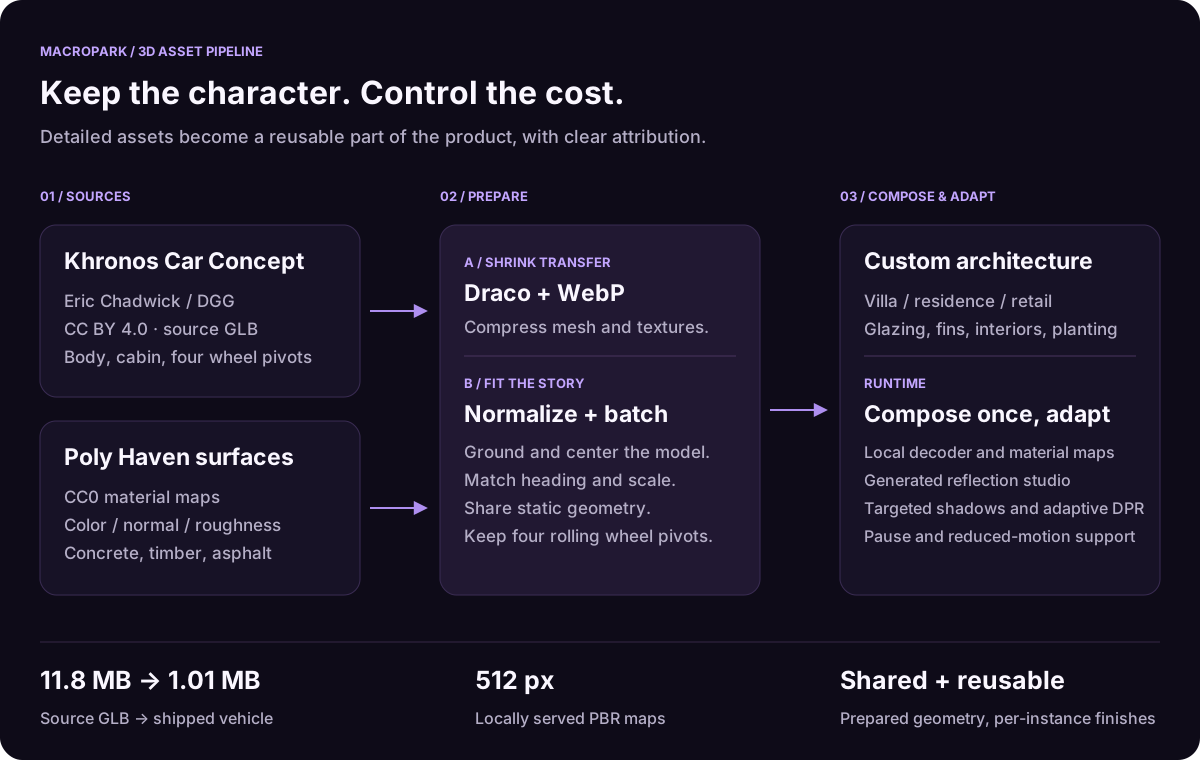
The vehicle adapts the Khronos Car Concept by Eric Chadwick / Darmstadt Graphics Group GmbH under CC BY 4.0. Draco compression, WebP textures, static-material batching, and normalized wheel assemblies reduce the source GLB from 11.8 MB to about 1.01 MB. The architecture is custom geometry; its 512-pixel PBR maps come from Poly Haven under CC0.
This website demonstrates parking outcomes through an illustrative 3D environment. It complements the separate MacroPark embedded, mobile, and administration project; the live configurator does not operate a real barrier, accept payments, or submit a CRM enquiry. Explore the connected-system case study through the related-project link below.
Actual project screens and documented visuals. Open any image for the full view.
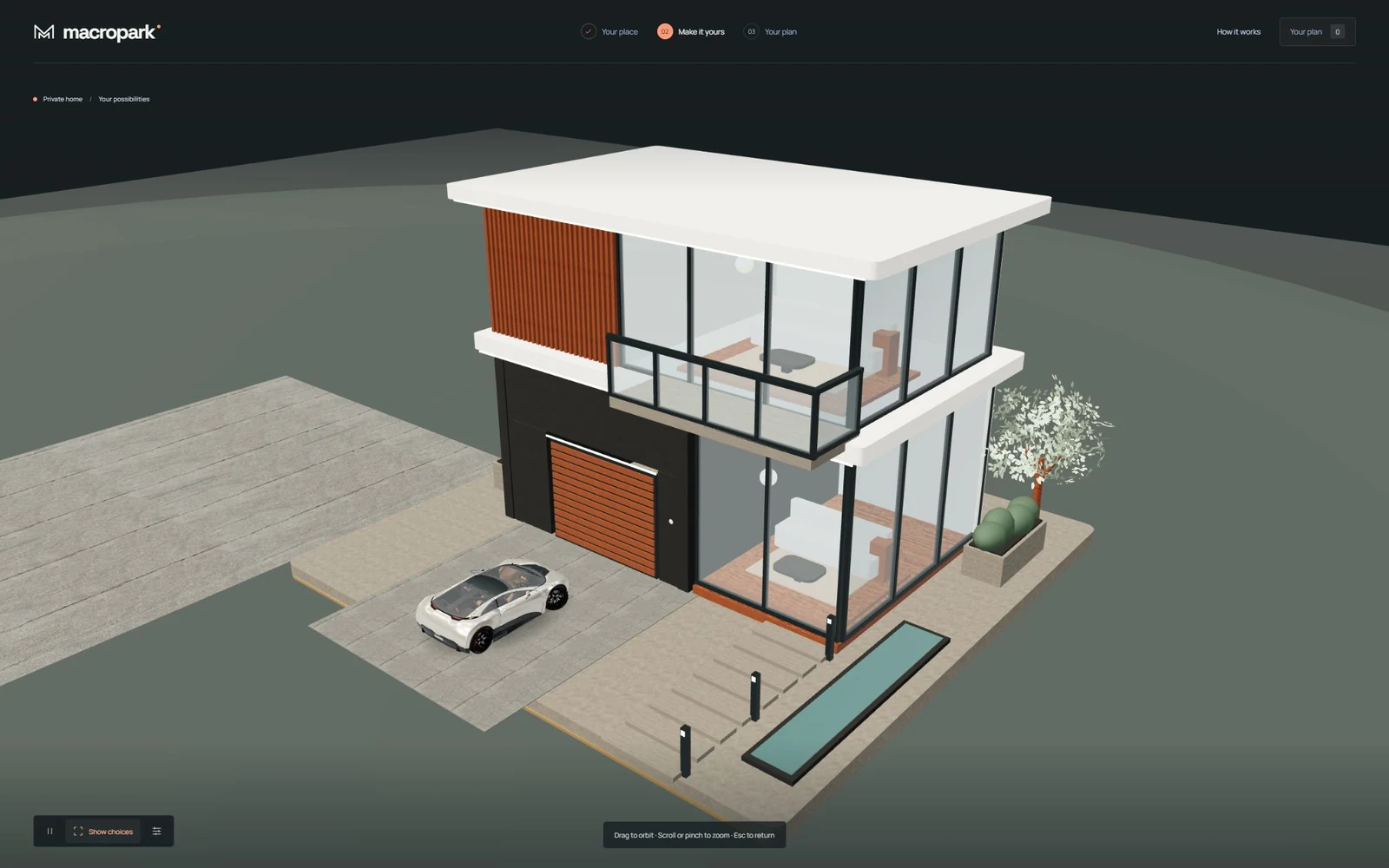
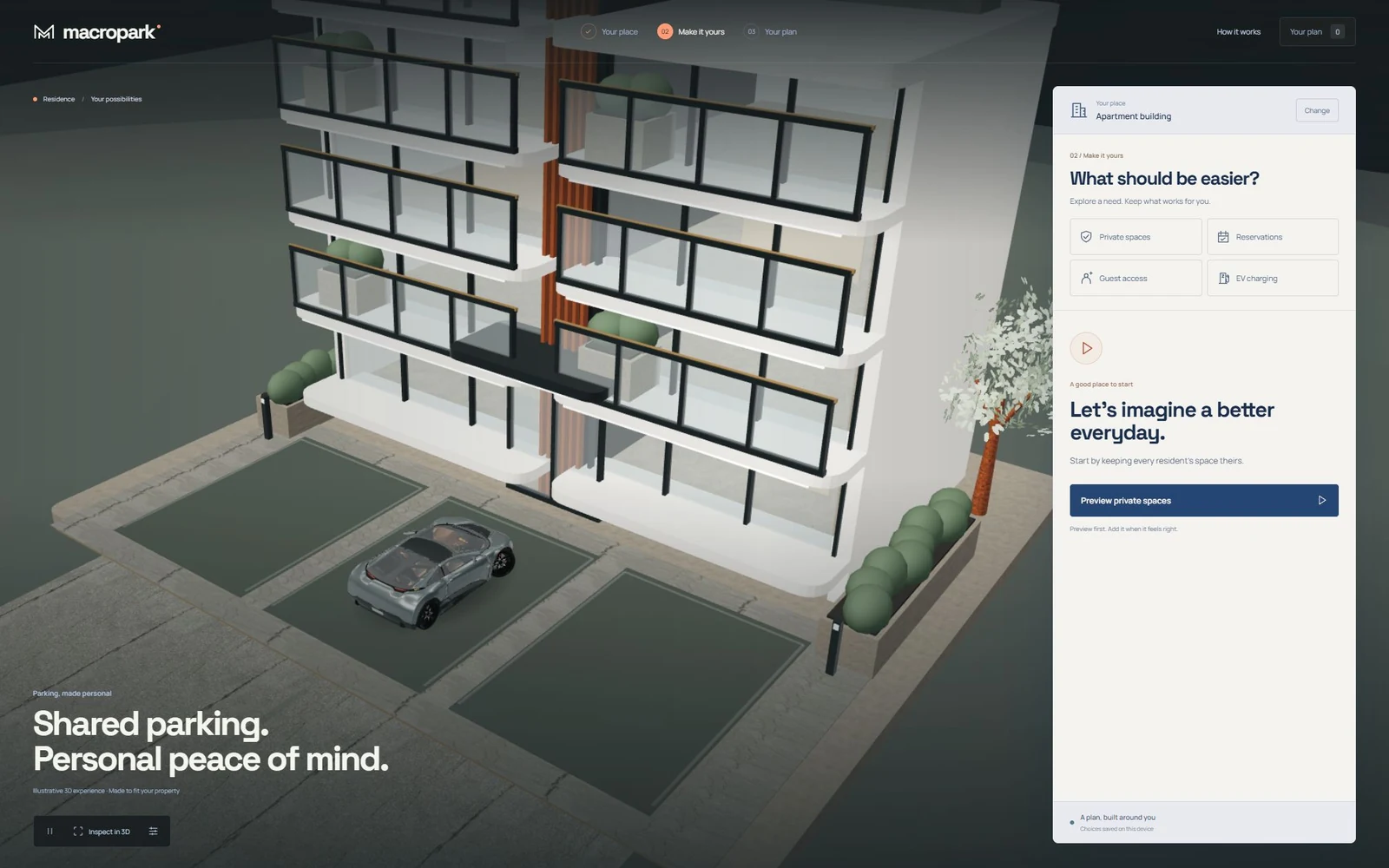
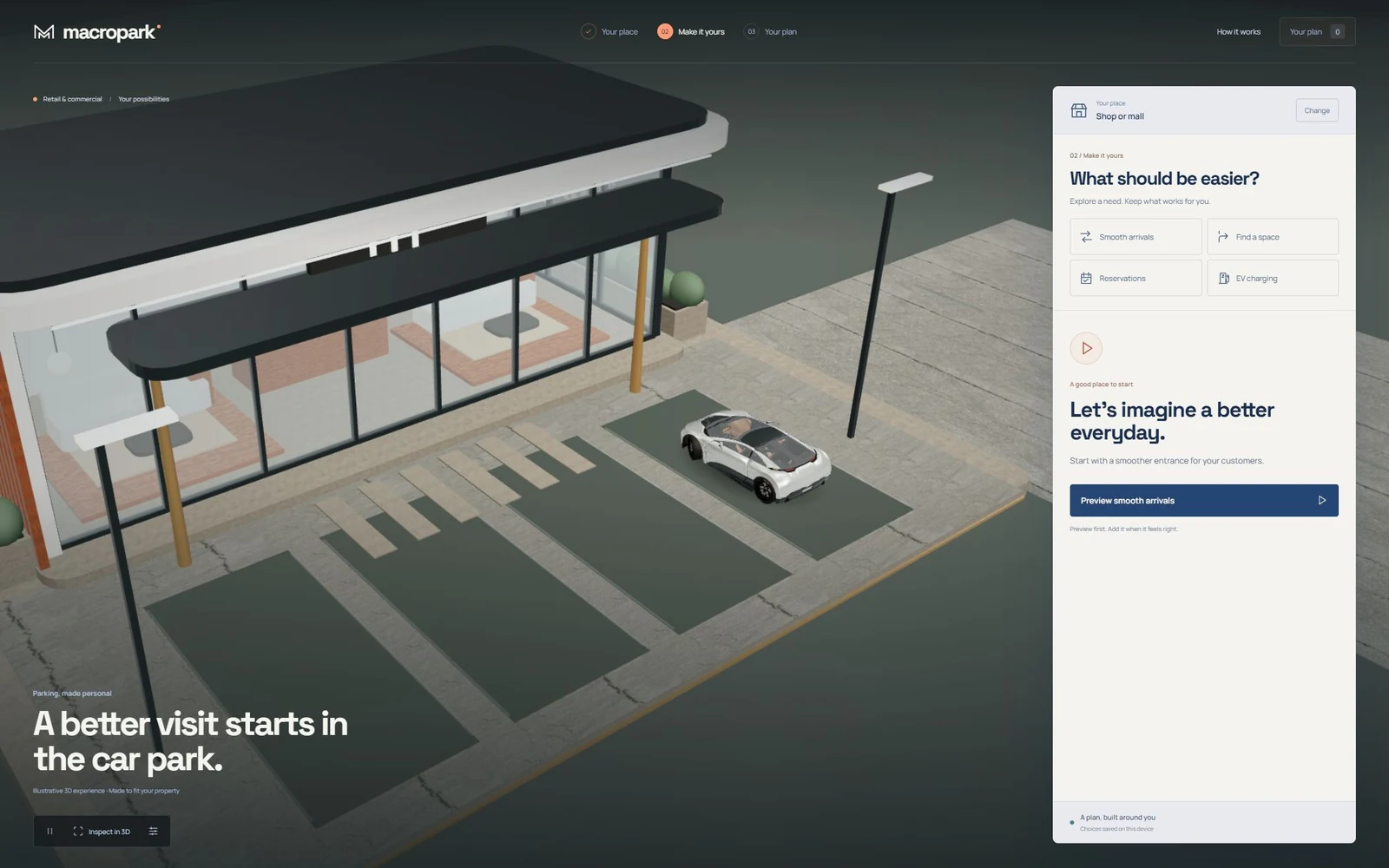
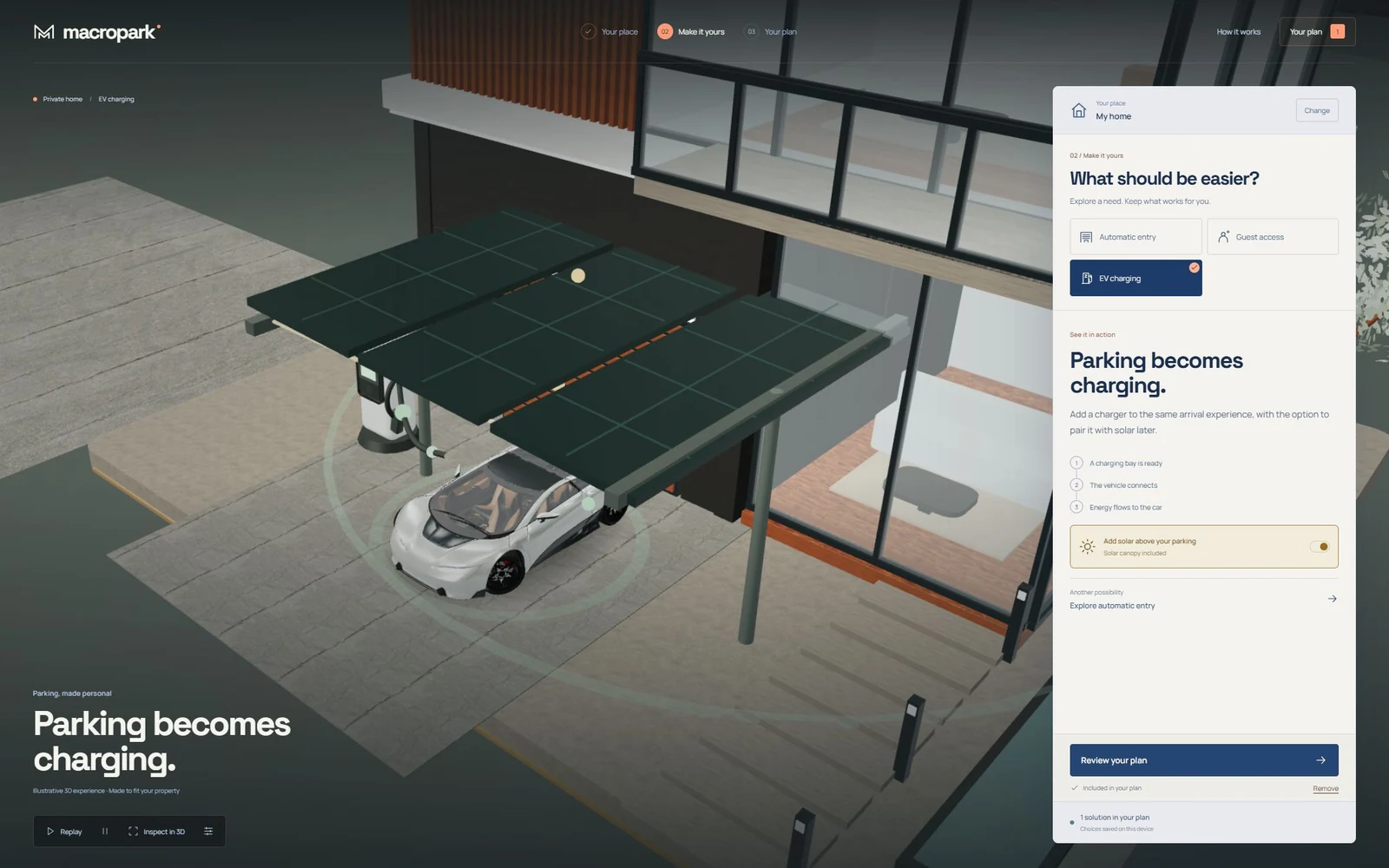
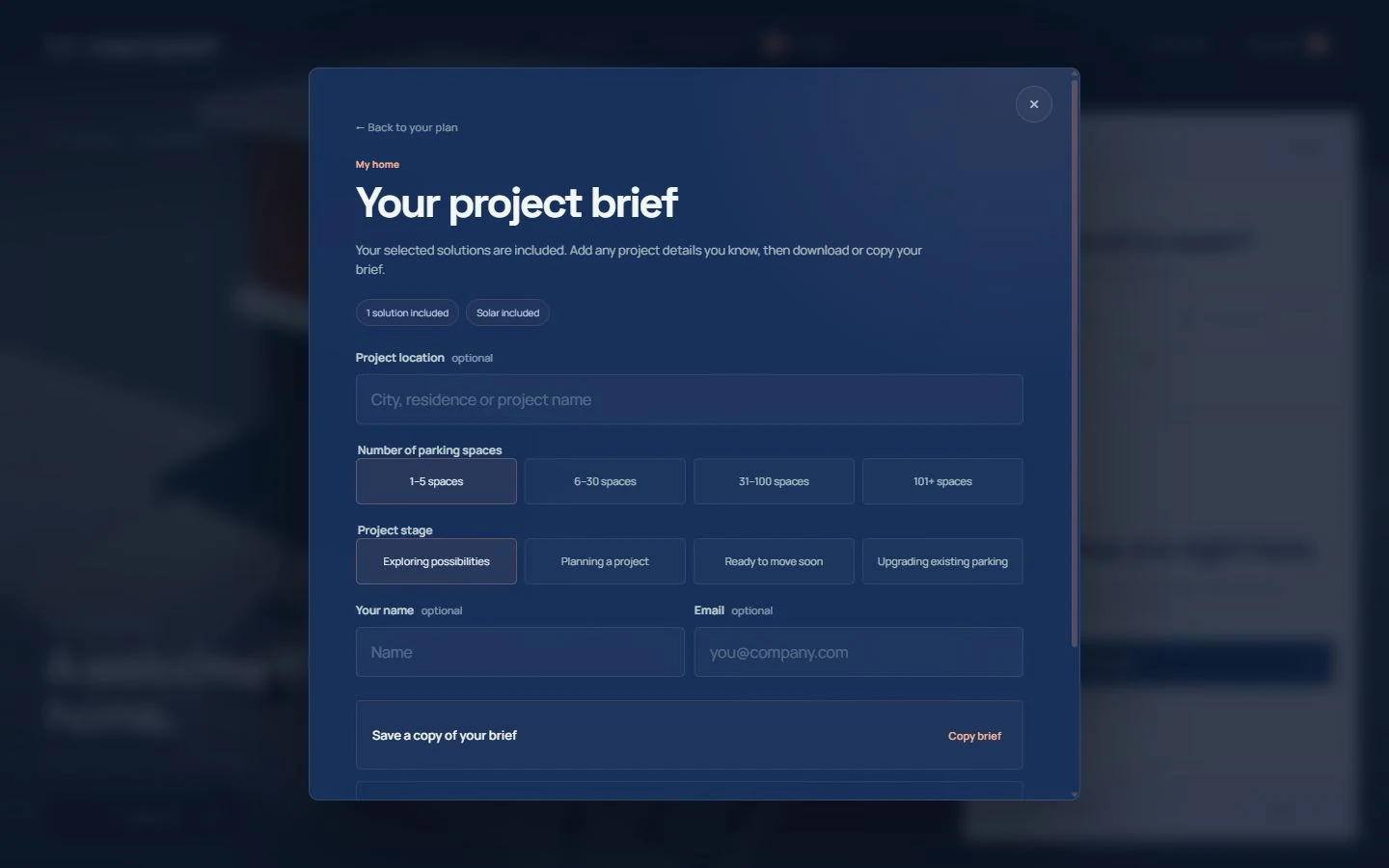
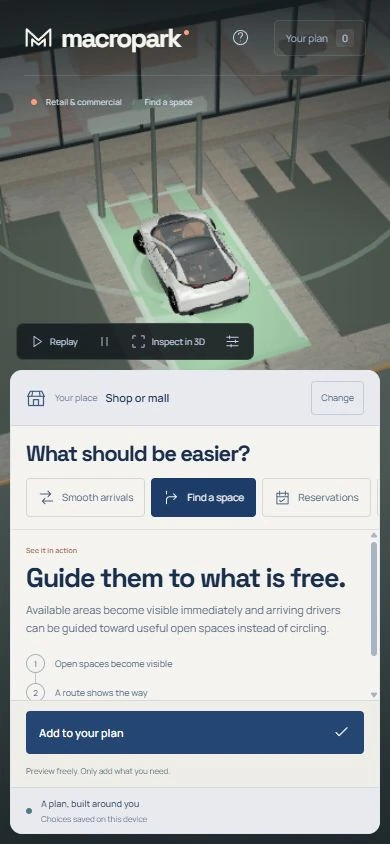
Every capability needed a visible physical consequence instead of another technical card or diagram.
Exploring a solution had to remain separate from adding it to the plan, including keyboard and modal behavior.
The journey had to stay responsive, reduced-motion friendly, and usable when rendering fails or the page is hidden.
Model scale, hidden geometry, mirrored transforms, and normalized attributes can change grounding and wheel placement. Geometry regressions guard the imported asset before it enters the existing story paths.
Guided shots yield while the visitor inspects a property, then recover from the actual camera position when the workbench returns.
Open a technology to see its role in this project.
App shell, static production delivery, and code splitting
Accessible client journey and solution workbench
Opening and interface choreography
Scoped responsive interface and modal layouts
Custom architecture, reflective surfaces, animated vehicles, and physical parking stories
Scene composition and React rendering boundary
Local compressed glTF loading and orbit/zoom inspection
Locally served color, normal, and roughness maps with a generated reflection environment
DPR, shadows, frame scheduling, quality controls, and visibility pause
Preview, plan, replay, and per-place journey state
33 checks covering planning, persistence, briefs, cameras, asset fitting, wheel pivots, and size budgets
Production Next.js deployment with local model, decoder, font, and texture delivery
The consultation remains usable without a GPU context
The Node suite verifies plans, persistence, previews, briefs, cameras, vehicle geometry, wheel pivots, and asset budgets.
Home, residence, and retail journeys share one product model while retaining distinct plans.
The validated Next.js production build defers the 3D renderer and assets. This initial JavaScript figure excludes model, texture, and decoder transfers.
Refine the 3D scenes and animations, validate performance on physical phones, and finish production consultation integrations.