Why it exists
Keep everyday tasks, a watchlist, and a game queue organized without turning personal planning into a complex application.
2026 / Project case study
Calm Personal Planning Dashboard
A compact personal dashboard that brings everyday tasks, a watchlist, and a game queue into one responsive, locally persistent workspace.
Keep everyday tasks, a watchlist, and a game queue organized without turning personal planning into a complex application.
Built one responsive React dashboard with quick capture, category views, completion filters, progress feedback, and device-local persistence.
Responsive frontend · Device-local persistence
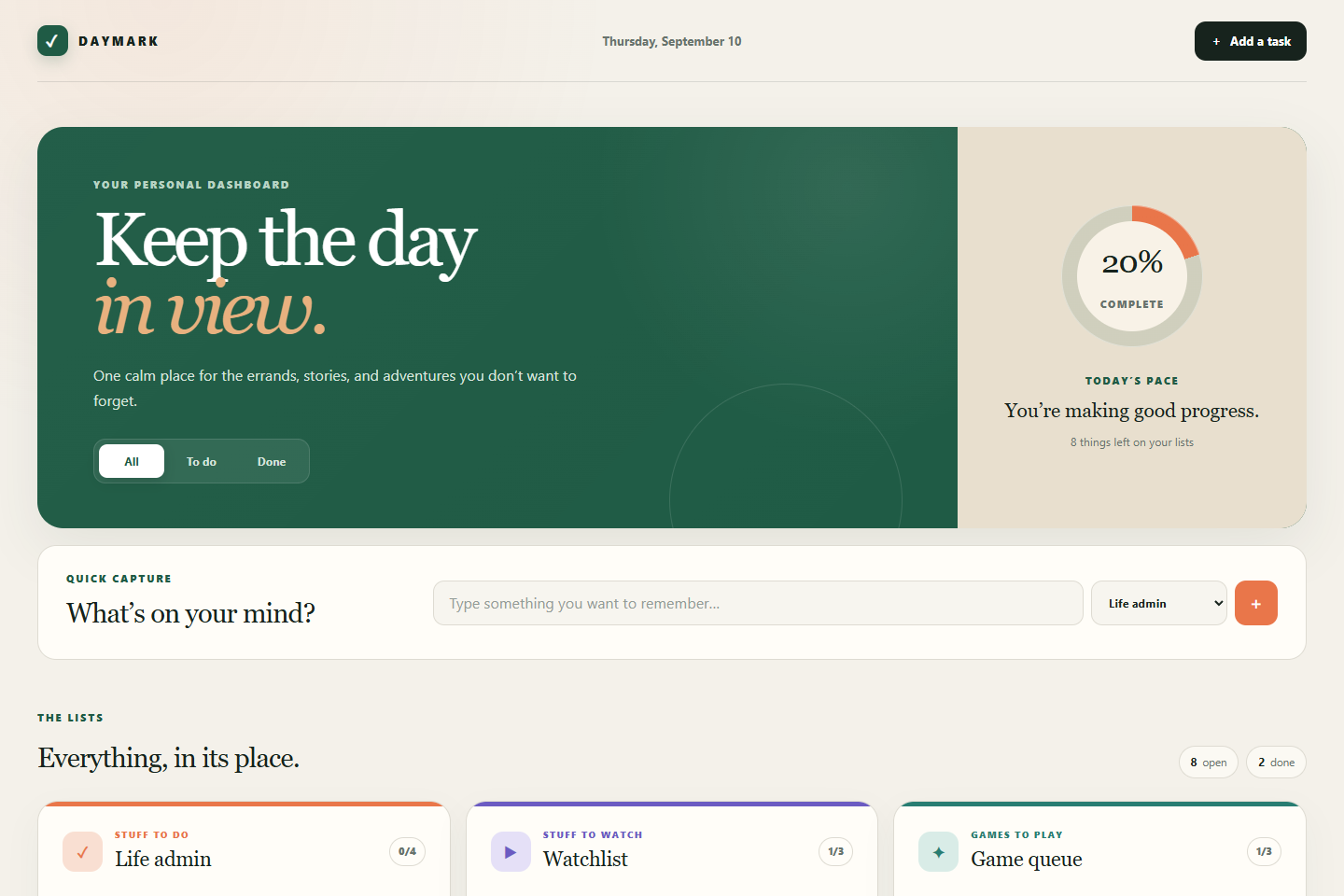
Explore the implementationDaymark explores a quieter approach to personal planning. It combines quick capture, category-specific lists, completion filters, progress feedback, and device-local persistence in a responsive single-page dashboard. The project is intentionally small in scope and is presented as a polished product experiment rather than a production service.
Personal productivity experimentA focused input sends a new item directly to life admin, the watchlist, or the game queue.
Different kinds of personal reminders stay visible together without becoming one noisy backlog.
Open and completed counts, filters, and a progress ring turn small actions into readable momentum.
Edits save automatically in the browser without adding an account or server to a deliberately small experiment.
This is a device-local planning experiment: no cloud account or synchronization service is claimed.
One React page owns the task model, derived counts, filters, and category views. Device-local persistence keeps the interaction real while preserving the experiment’s intentionally narrow scope.
Actual project screens and documented visuals. Open any image for the full view.
The dashboard needed to show three distinct lists and progress without feeling like project-management software.
Device-local persistence suits the experiment; accounts, sharing, and cloud sync are intentionally not implied.
Open a technology to see its role in this project.
Interactive lists, filters, completion state, and quick capture
Typed categories, filters, and task records
Server-rendered application shell and Vite-based build
Editorial dashboard layout from phone to desktop
Task state persists on the current device
A current, locale-aware date label
Real forms, labels, buttons, filters, and pressed state
Life admin, watchlist, and games remain distinct but share one capture and filtering model.
The complete interaction fits a single coherent dashboard instead of fragmenting into unnecessary routes.
Explore the available resources or talk with me about the design and engineering behind this project.